
Download Mobogenie – Android management tool, smartphone control, PC app, Windows utility, device synchronization, mobile device management
Overview
Mobogenie is a Windows-based utility designed to bridge the gap between Android smartphones and personal computers. It enables users to manage their Android devices directly from their desktops, streamlining tasks that would otherwise require constant switching between devices. The app serves as a centralized hub for app management, data access, and device customization, offering a seamless experience for individuals who rely heavily on both mobile and desktop environments.
It addresses common pain points such as inefficient app installation, limited access to device storage, and the inconvenience of managing contacts and messages across platforms. By allowing users to install, uninstall, and back up applications, access internal memory, and send text messages from a PC, Mobogenie enhances productivity and reduces digital friction. The tool is particularly useful for users managing multiple Android devices, content creators, or professionals who need to transfer files and apps quickly.
Although the developer did not provide additional technical details about its background, Mobogenie has established itself as a reliable solution in the mobile device management space. Its ability to function without special cables and without requiring an internet connection for certain operations adds to its appeal. Real-world use cases include offline app transfers, bulk file management, and remote device configuration—all performed from a familiar desktop interface.
As part of the broader ecosystem of PC-to-mobile tools, Mobogenie offers a practical alternative to manufacturer-specific software, providing cross-device compatibility and user-friendly navigation. Its free availability further broadens its accessibility, making it a valuable resource for both casual and power users seeking greater control over their Android devices.
Key Features & Functionality
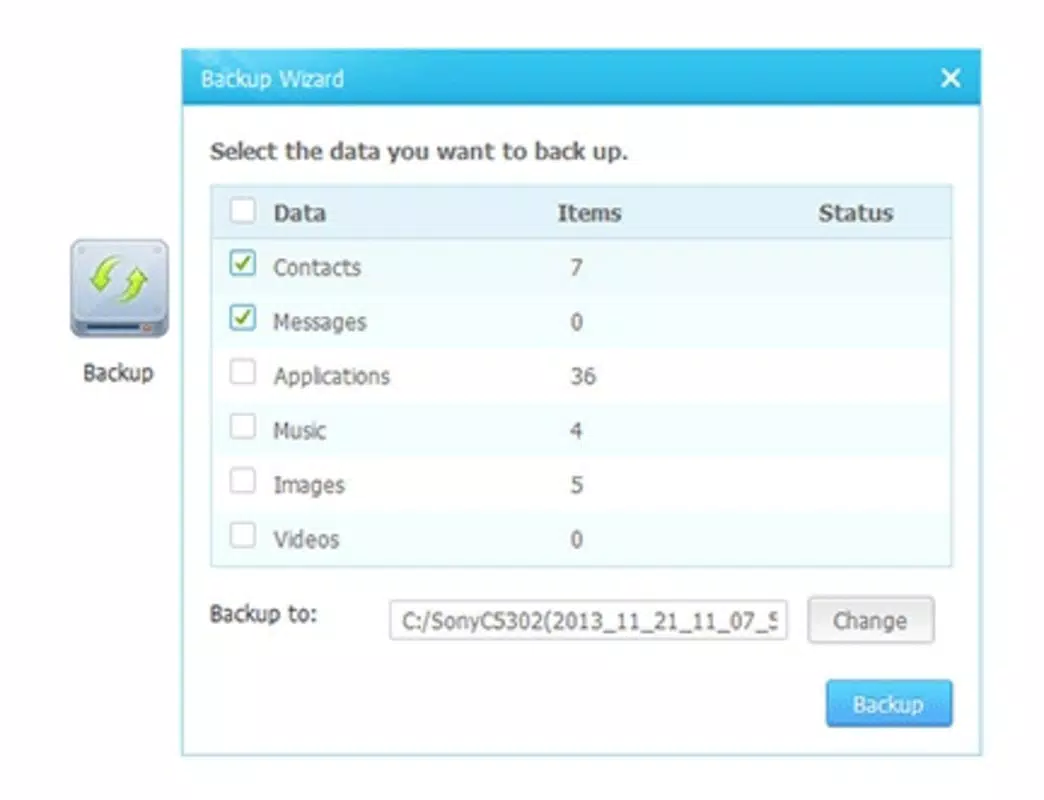
- Remote App Management: Install, uninstall, and back up Android applications directly from the PC, eliminating the need to navigate through the smartphone’s interface.
- Direct File Access: Browse and manage all data stored on the Android device’s internal memory and SD card through a familiar file explorer-style interface.
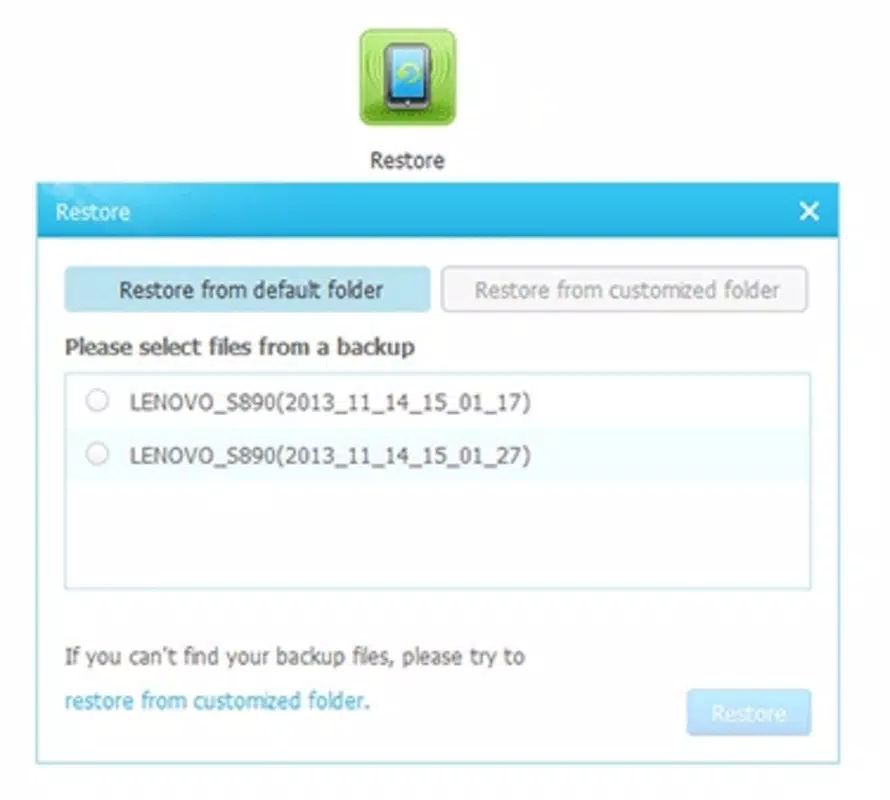
- Offline App Handling: Transfer and restore apps from the local hard drive without requiring an internet connection, saving bandwidth and time.
- Google Play Integration: Access the Google Play Store from the PC to search for, download, and install apps directly onto the connected Android device.
- Message and Contact Control: Send text messages to contacts and manage contact lists directly from the desktop, ideal for users managing communications on the go.
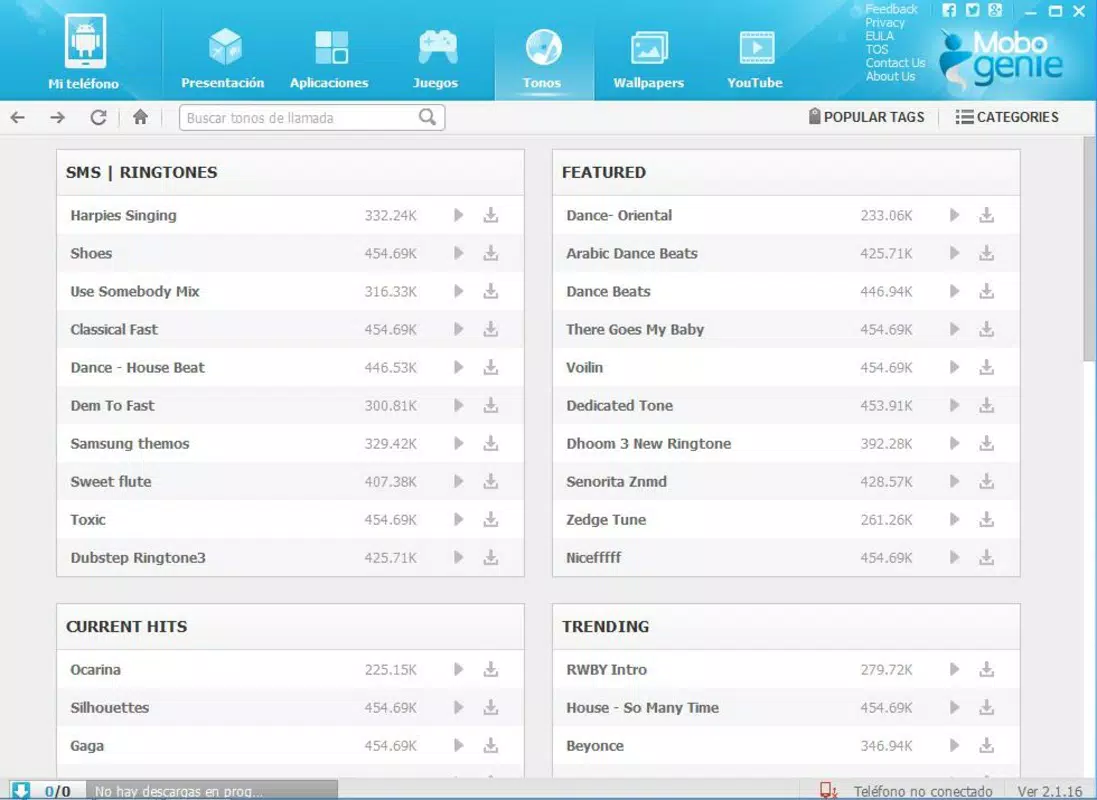
- Device Customization: Change ringtones, wallpapers, and other system settings remotely, offering greater personalization options than standard smartphone interfaces.
These features are particularly beneficial in scenarios such as transferring large media files, preparing a device for a new user, or managing apps across multiple devices during travel. For example, a user can back up a collection of apps before a system reset and restore them later using the same PC. Another use case involves sending a batch of messages to multiple contacts during a business event, all from a single workstation.
The integration of Google Play within the desktop environment removes the dependency on mobile data or Wi-Fi for app downloads, making it ideal for users in low-connectivity areas. Additionally, the ability to customize device settings without touching the phone enhances user autonomy and convenience.
Interface, UX & Performance
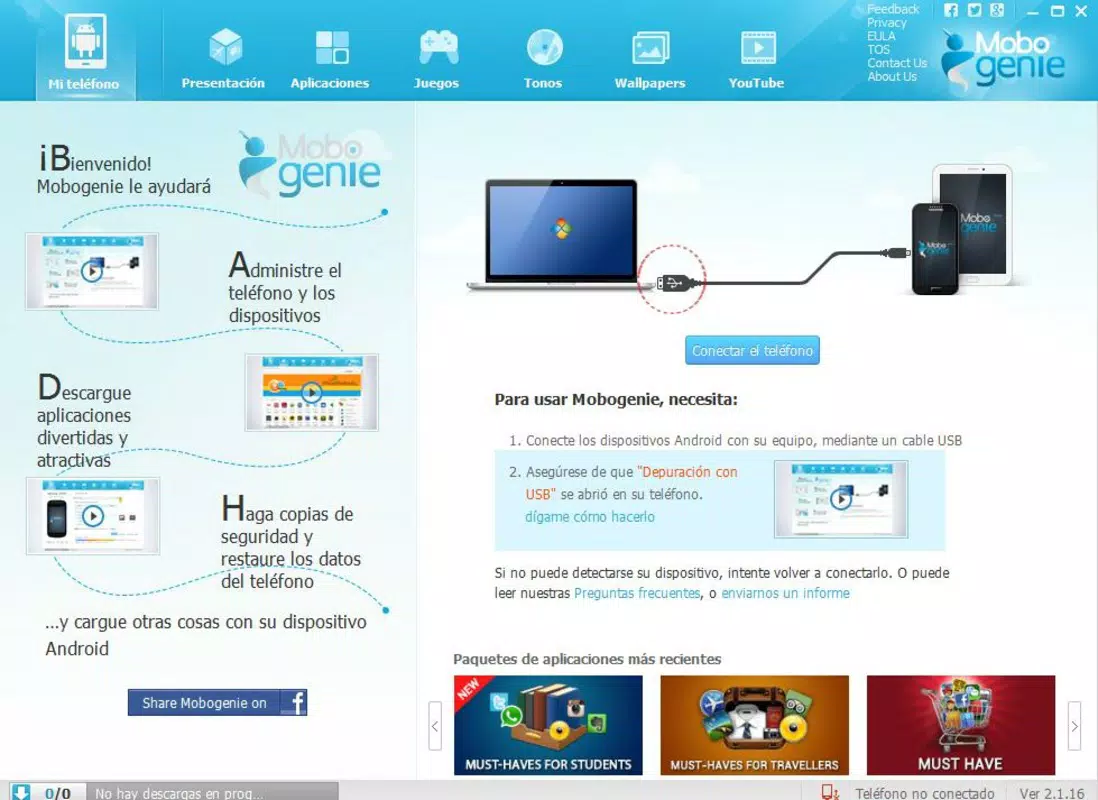
Mobogenie features a clean, intuitive interface designed for ease of navigation. The layout is organized into clearly labeled sections, including app management, file explorer, device settings, and messaging tools. This logical structure allows users to locate functions quickly, reducing the learning curve for new users.
The visual style is minimalistic, focusing on functionality over decorative elements. Navigation is primarily menu-driven with context-sensitive options, enabling smooth transitions between tasks. The tool responds promptly to user inputs, maintaining a consistent level of responsiveness during file transfers and app installations.
Although the developer did not list formal performance metrics, the application operates efficiently on standard Windows systems, with no reported lag during routine operations. Stability is maintained across various device types, including smartphones and tablets, ensuring reliable performance during extended use. The interface adapts well to different screen sizes, preserving usability on both desktops and laptops.
Users can expect consistent performance when managing large files or performing batch operations. The tool maintains background processes without consuming excessive system resources, contributing to a smooth overall experience. While no specific error logs or crash reports were provided, the app’s long-standing presence in the market suggests a stable and dependable operation.
Platform Compatibility & Technical Requirements
Mobogenie is designed exclusively for the Windows platform, making it accessible to users on desktop and laptop systems running Windows operating systems. The current version is 5.6.8, with a file size of 107.4 MB, indicating a lightweight installation that does not place a significant burden on storage.
Specific requirements were not listed, so compatibility with older or newer versions of Windows remains unclear. The developer did not specify minimum OS requirements, nor did they provide details on supported Android versions or device models. As such, users should verify compatibility with their specific hardware and software configurations before installation.
Given that the app does not require special cables for connection, it likely uses Wi-Fi or USB-based pairing, though the exact method was not disclosed. The absence of detailed technical specifications suggests that the tool is designed to work with a broad range of devices, but users should exercise caution when using it on unsupported systems.
Pros and Cons
Pros
- Free to download and use, eliminating cost barriers for users.
- Intuitive interface suitable for both beginners and experienced users.
- Supports offline app management, reducing dependency on internet connectivity.
- Offers direct access to Google Play for app downloads from the PC.
- Enables remote control of device settings, ringtones, and wallpapers.
- Facilitates seamless file transfers between PC and Android device.
Cons
- Compatibility information was not fully disclosed, limiting clarity for some users.
- Developer did not provide details on supported Android versions or device models.
- Performance on low-end systems may vary due to lack of official specifications.
- No mention of automatic update mechanisms or version tracking.
- Security protocols and data encryption methods were not specified.
FAQ
Is Mobogenie safe to use on my computer?
The app is free and widely used, but users should ensure they download it from official sources to avoid tampered versions. Always scan downloaded files with antivirus software before installation.
Can I use Mobogenie without a USB cable?
Yes, Mobogenie does not require a physical cable for connection. It supports wireless pairing, allowing users to manage their Android device over Wi-Fi.
Does Mobogenie work with all Android phones?
While the app is designed for broad compatibility, the developer did not specify which Android versions or device models are supported. Users may need to test the app with their specific device.
Is there a mobile version of Mobogenie?
No mobile app version was mentioned. Mobogenie is a Windows-only utility, intended for use on desktop and laptop systems.
How often is Mobogenie updated?
The developer did not provide information on update frequency. Users should check the official website periodically for new releases and improvements.
Final Thoughts
Mobogenie stands out as a practical, free tool for users seeking greater control over their Android devices from a PC. Its combination of app management, file access, and remote customization offers a compelling value proposition, especially for those who frequently transfer data or manage multiple devices. The lack of technical specifications and detailed compatibility information is a minor drawback, but the app’s user-friendly design and offline functionality help mitigate these concerns.
Whether you're a content creator, a professional managing digital workflows, or simply someone who values efficiency, Mobogenie delivers a powerful set of tools without the need for complex setups. Its ability to function without internet access for certain tasks adds a layer of reliability that many similar tools lack.
With its straightforward interface and broad functionality, Mobogenie is an ideal choice for users looking to simplify their mobile management routine. Download Mobogenie now


